Posts

Showing posts with the label #backup

Modern Backup Strategies for SaaS Platforms

Image
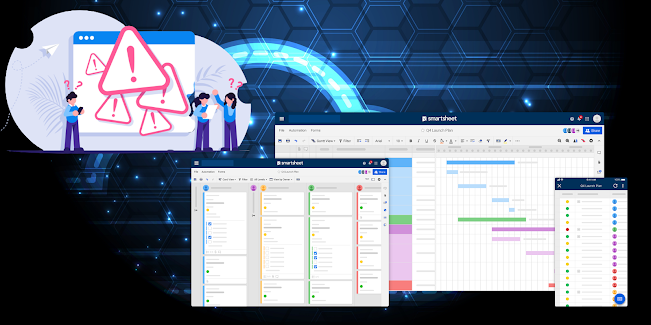
  Click for the flipbook version and to download the PDF Introduction As computing systems evolve, so do the features and capabilities that define them. This continuous advancement necessitates a review of traditional backup models and approaches, especially for users relying on SaaS platforms like Smartsheet. While these SaaS platforms boast impressive uptime metrics - often at 99.99% reliability - there remain essential reasons for companies and individual users to maintain backup and export plans and solutions for the data stored in these platforms. Key Considerations One key consideration in designing a modern backup strategy for your SaaS business data is the illusion of “unlimited” storage and data. Although SaaS providers market unlimited data and storage capacity, the reality is that building business solutions reliant on limitless data is impractical and problematic from an IT standpoint and potentially represent significant risks to the organization. Moreover, it is...

Why Do You Need Backups?

Image
Introduction Read this as a Flipbook, and download the PDF version:  https://qr1.be/H5GR In this article, we delve into the critical importance of backing up business data, especially for organizations that heavily rely on various online applications, including but not limited to Smartsheet, Google Workspace, Microsoft 365, Salesforce, Asana, and Monday.com.  By ensuring that data is backed up, businesses can protect themselves from potential data loss and maintain seamless operations. Many companies often operate under the assumption that these online SaaS platforms come equipped with inherently robust backup functionality. However, this is not necessarily the case, and many businesses may not fully realize that backups serve additional critical purposes that extend far beyond the inherent limitations of the platform itself. These purposes include ensuring data integrity, facilitating disaster recovery, and meeting regulatory compliance requirements. This discussion wil...

SmartBackup for Smartsheet Platform Advisory

Image
UPDATE: July 28, 2025. After extensive investigation, research, testing, and analysis, together with the Smartsheet Product Team,  we have recently discovered that some Smartsheet customers are using the Upload File Attachments feature in Smartsheet extensively.  While this is permissible, it is important to know that there may be consequences, and this scenario could mean that it will not be possible to create a full backup, or a full export copy of your Smartsheet environment. For more details, please review the   Smartsheet File Attachments Storage Guide. In the case of some SmartBackup customers who are using the Upload File Attachment feature extensively, we have encountered intermittent timeout errors, and overly long backup durations, which render the backup and export processes ineffective. Note that this is not a shortcoming of the SmartBackup solution or the Smartsheet platform, but more of an issue with the way that the Smartsheet platform has been us...

Fresh new website update!

Image
  After a year, we decide to do a refresh of our website and move it to a new platform at the same time. The updated site has a nice new fresh look, is responsive and works really well across all platforms, and is easy to navigate. As part of the update we also needed to find a new place for our blogs and decided to leverage the Blogger platform from Google. Hope it will work well for all! SmartBackup R4 Update This new website update coincides with the release of our latest version of SmartBackup for Smartsheet. This new version includes several key updates to the Console interface, including new guidance that is provided on each screen, which provides overviews of each function and feature, as well as a new "Automation" section in the settings menu. The new Automation feature aims to make it easier to define recurring scheduled backups, archives, and exports, without having to open the Task Scheduler application. We have also introduced several enhancements to the Settings ...

Major SmartBackup Update!

Image
We are super excited to announce the latest version of SmartBackup for Smartsheet! This version includes two groundbreaking innovations that benefit both Business Edition users and Enterprise Edition users and which further distinguish SmartBackup from other Smartsheet backup solutions in the market. The first groundbreaking innovation is the new enhancements to the Export function. Previously the Export function required the user to specify each sheet to be exported in a list. Now users have the option to Export All sheets, or only sheets that have recently changed, or to Export only specified Sheets and Reports. Users also have the option to Export only the folder structure. This new feature allows for companies to create a full Export backup of All sheets more easily for backup, disaster recovery, audit, governance, and snapshot purposes, while the Incremental Export mode provides a more efficient way to Export only those sheets that have recently changed. SmartBackup Users and Admi...